
It’s Live: The New Ovrture File Manager
The new Ovrture File Manager is live with drag-and-drop, file tagging, and visual previews. Here’s what clients are saying, and a look at what’s coming next for content panel creation.
Last month, we gave you a detailed look at what was coming with the new Ovrture File Manager. The rebuilt media library, the unified content panel experience, drag-and-drop, tagging, visual previews, all of it.
Now, it’s in your hands. The new File Manager is live across all Ovrture client systems.
And the early reactions have made our week.
What We’re Hearing
We’ve been listening closely since the rollout, and a few themes keep coming up across our education and healthcare clients.
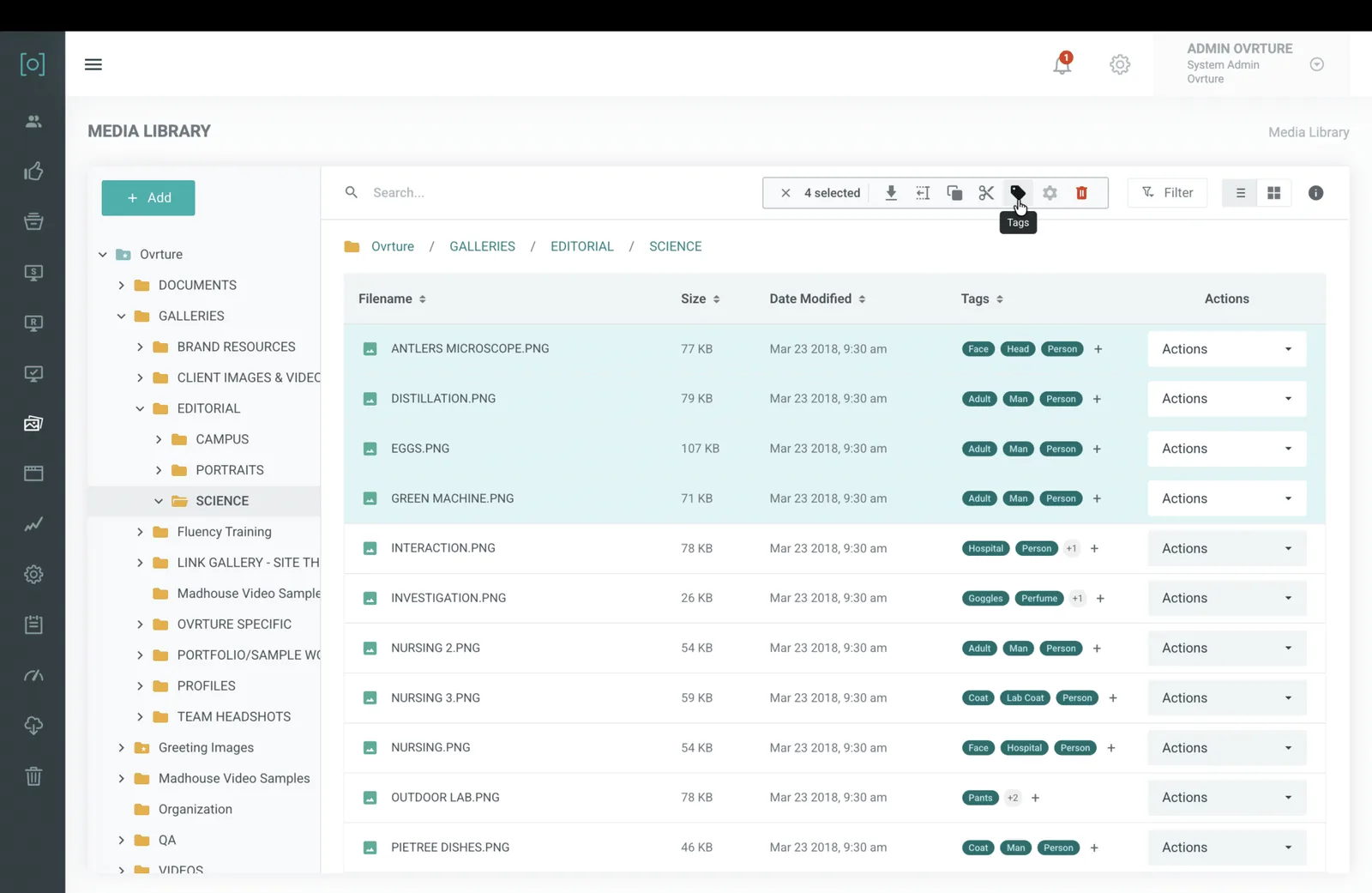
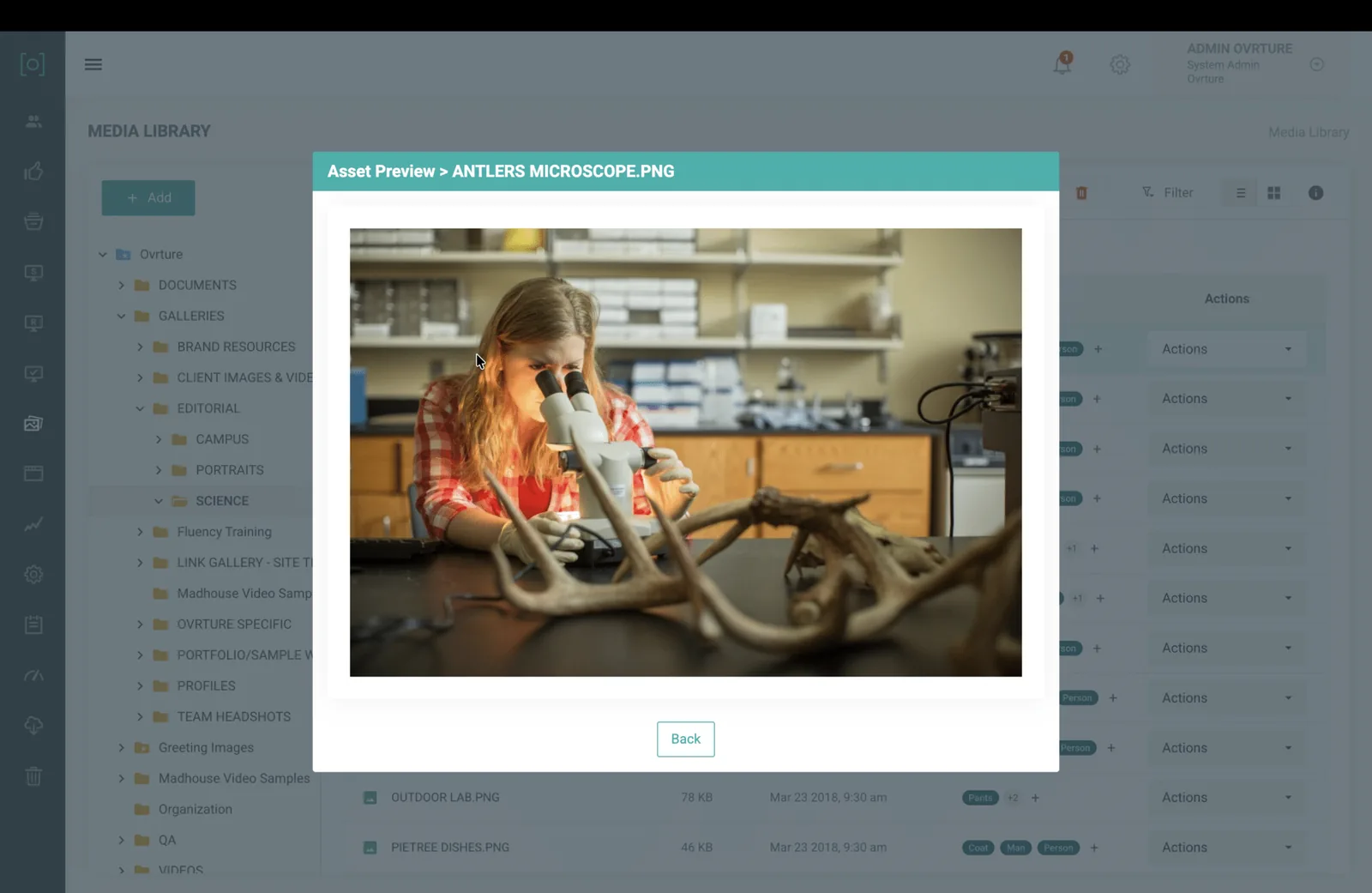
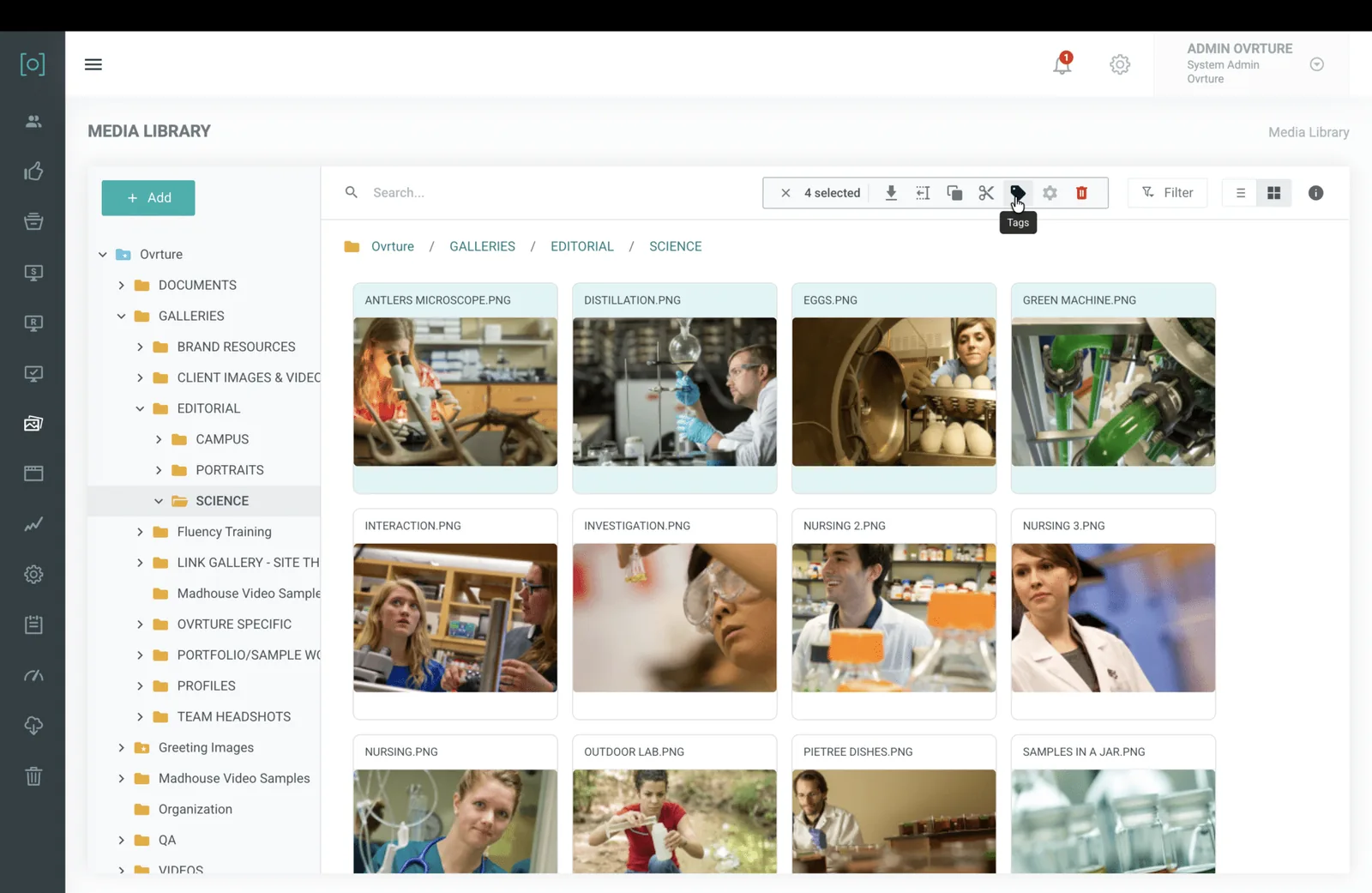
The visual layout is a relief. Teams managing large image libraries across campaigns, events, and fiscal years are telling us that browsing with visual thumbnails and icon views has changed how they work. Identifying duplicate images used to mean opening files one by one. Now it takes a glance. One client team called the new icon layout a “huge, helpful change,” especially for cleaning up their media library.
Tagging is the standout. The ability to tag files with custom labels and have the system apply tags automatically solves a frustration that teams have lived with for years. Finding the right photo or document during a deadline-driven report build is now a lot faster. Across the board, clients are telling us that tagging (especially automatic tagging) is the capability they didn’t know they needed this much.
The overall reaction has been clear. We’ll keep it simple: multiple client teams have used the word “love.” We don’t take that lightly.
Why This Update Matters
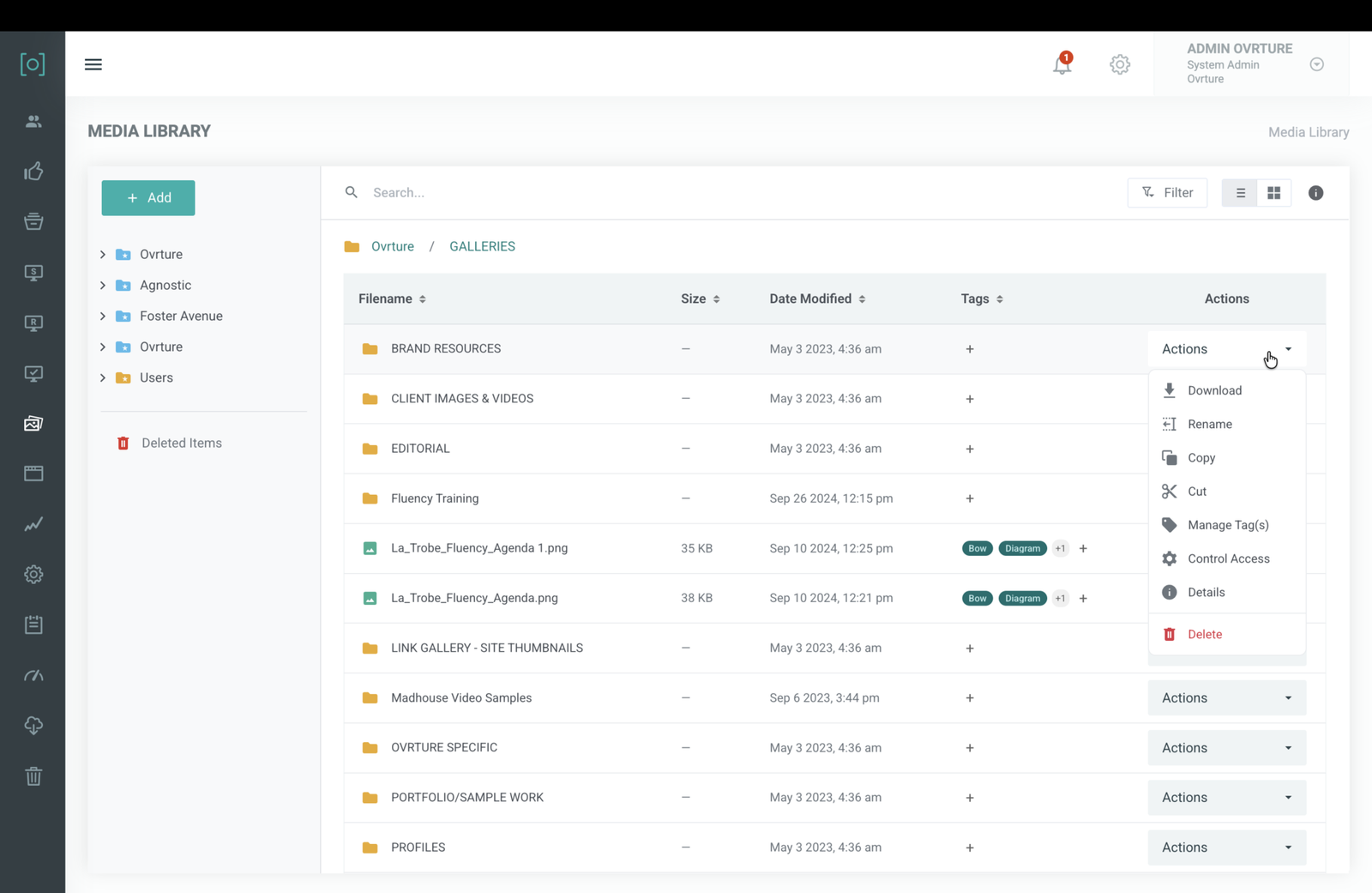
If you read our preview post, you know the full scope of what changed, from the redesigned folder navigation and search to bulk actions and keyboard shortcuts. We won’t rehash all of that here.
What we will say is this: file management is the foundation of every donor experience you build in Ovrture. Every personalized donor website, every stewardship report, every cultivation site starts with content that needs to be organized, findable, and easy to work with. When your team moves faster through that layer, they get back to the work that actually deepens donor relationships.
That’s why we rebuilt it from the ground up rather than patching what was there.
What’s Next: Content Panel Creation
The File Manager gave your media and content panels a better home. A faster, more intuitive way to organize, find, and manage the building blocks of your donor communications.
Now we’re turning our attention to how those building blocks get made.
We’re overhauling the content panel creation experience, rethinking how your team builds the narrative sections, impact stories, and custom content that power your sites and reports.
All of the organizational functionality brought to the media library will also be available in Content Panels such as searching, tags, drag and drop, multiple select, etc. This update goes live on March 31, 2026. Stay tuned for an even more streamlined version of Ovrture.
See the screenshots below for a look at the new file manger.
Try It Now
The new File Manager is live in your Ovrture system today. Log in, explore, and let us know what you think. Our team is here for unlimited training and support, whether you want a full walkthrough or just have a quick question.
Not yet using Ovrture? Schedule a demo to see how our platform helps advancement teams deliver personalized donor communications at scale.