What Ovrture does, what it runs on, and who works in it.
Ovrture asks for time, money and a change in how your office works. That's a real ask, and we take it seriously: getting it wrong means disruption for the people who have to live inside it every day. A decision that size deserves a clear picture first. The eight sections below are where to start.
- 01Foundations
The record, the outputs, what comes back - 02Capabilities
Stories, reports, proposals, and analytics - 03Integration
Built on the data you already hold - 04Content creation
Built to serve and connect your team - 05Organizational complexity
Managing brands, units, roles, and permissions - 06Partnership
Training, support, and what is included - 07Security and compliance
Answering what your security office will ask - 08Common questions
Covering what comes up in a first demo
What the platform is, underneath the capabilities.
One record from the system you already keep. The websites that record needs, a stewardship report, a cultivation site, or both. What the donor read, returned to the record. Everything in the sections below is built on those three moves.
The three pillars
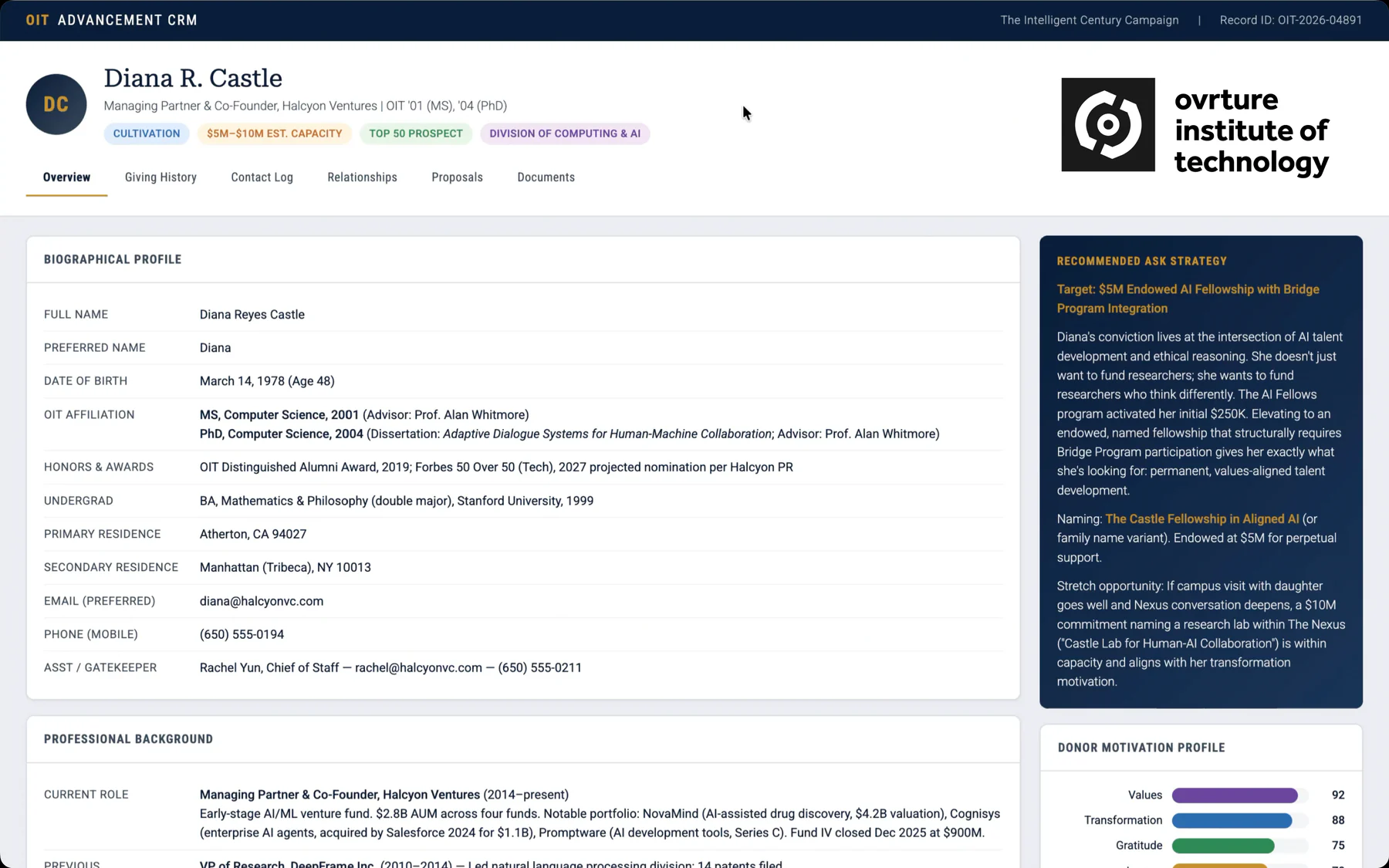
It starts with the record you already keep.
Every donor website begins as a constituent record in your CRM: name, assigned funds, giving history, the fields your team already maintains. Nothing is retyped to get started.
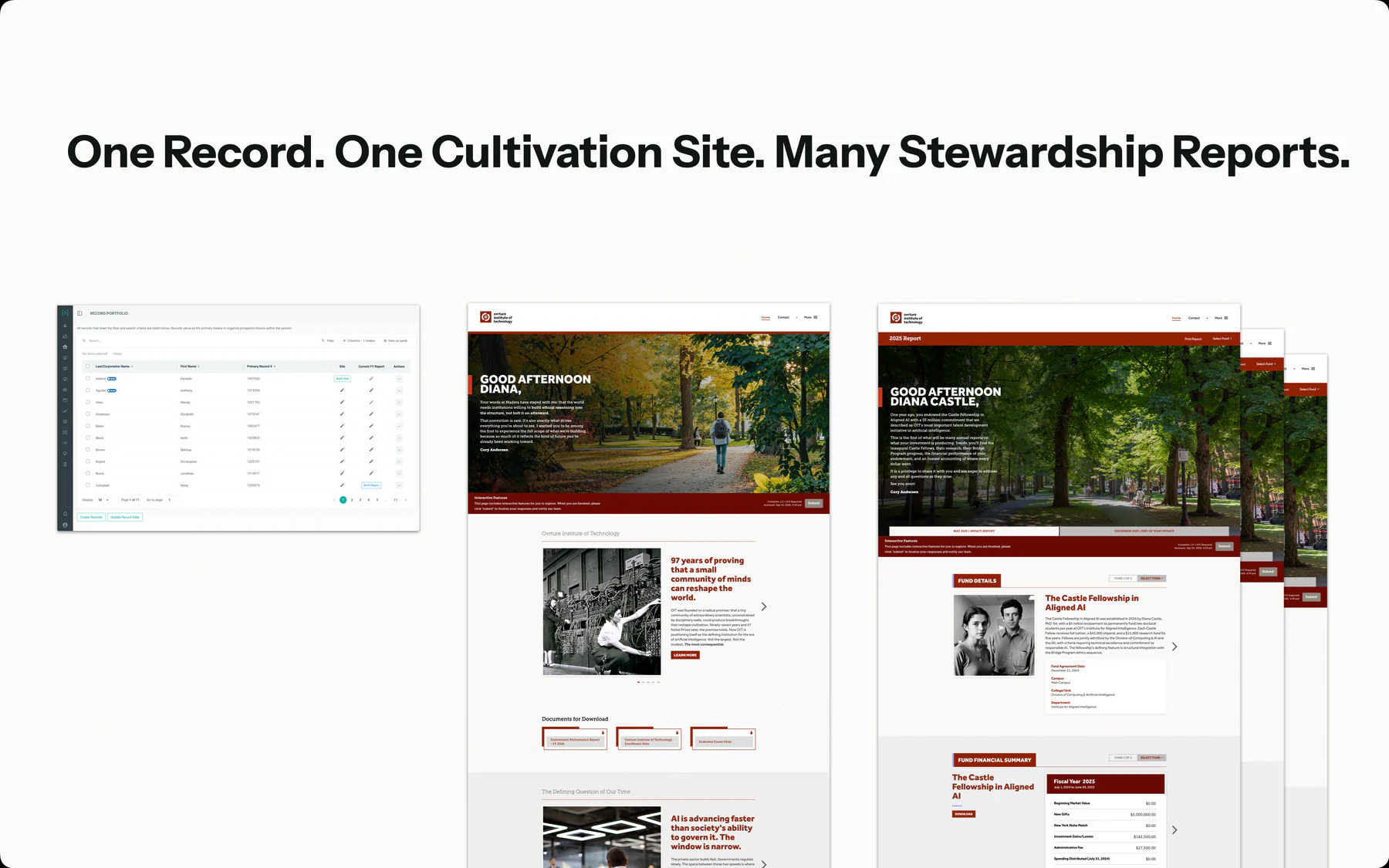
One record, as many websites as the relationship needs.
One record can carry a stewardship report every year, a cultivation site while a case is being made, or both. Which comes first depends on where the relationship is, and each one is built for one person from data you already hold.
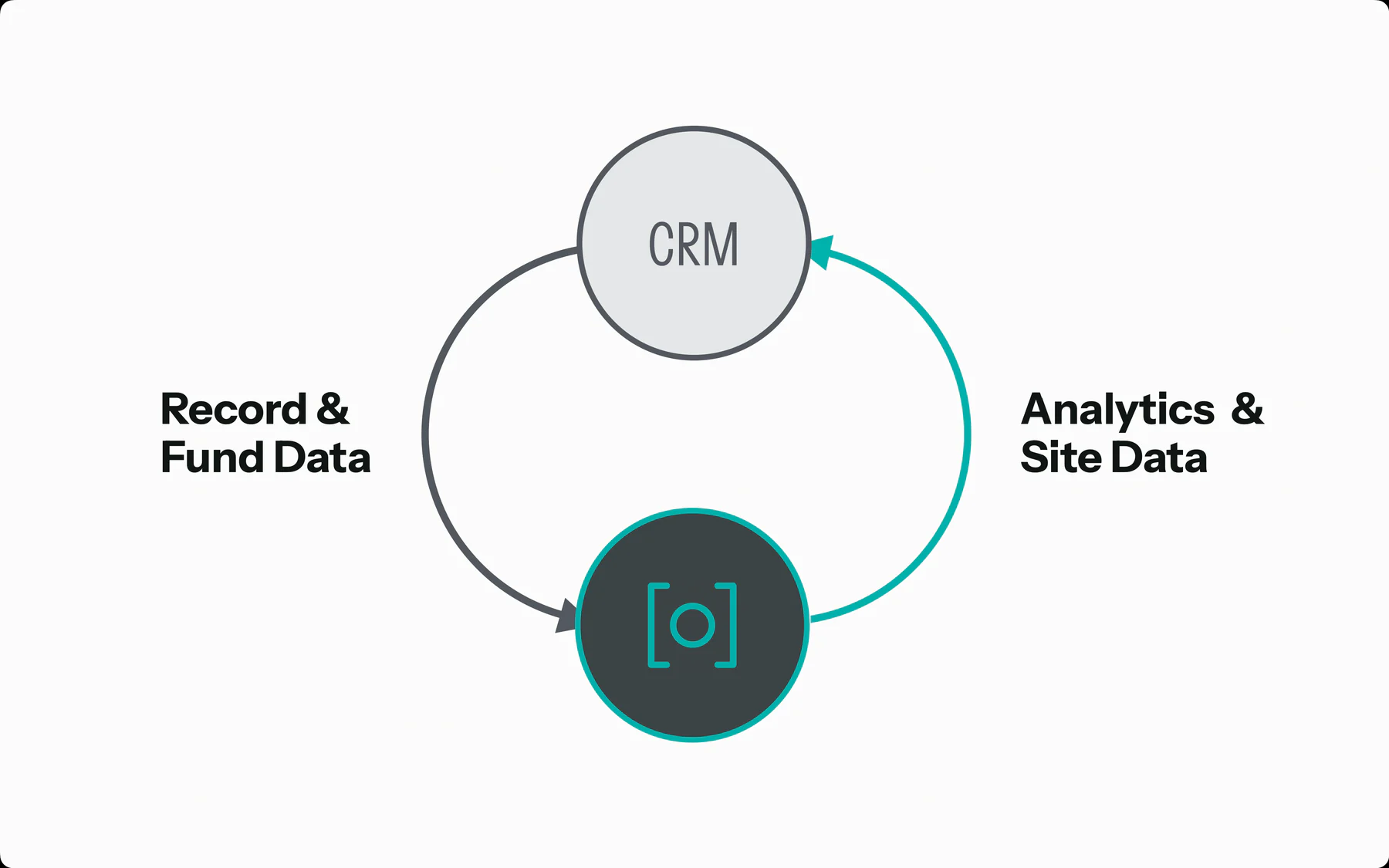
What was read comes back to the platform (and your CRM).
Engagement lands in the platform and returns to your CRM, so communications, stewardship and the development officer who owns the relationship all work from the same picture of what a donor read.
Gathering the stories, the report, the proposal, and what was read.
Four capabilities in sequence. Each one produces something a donor actually opens, and each one leaves behind what the next one needs.
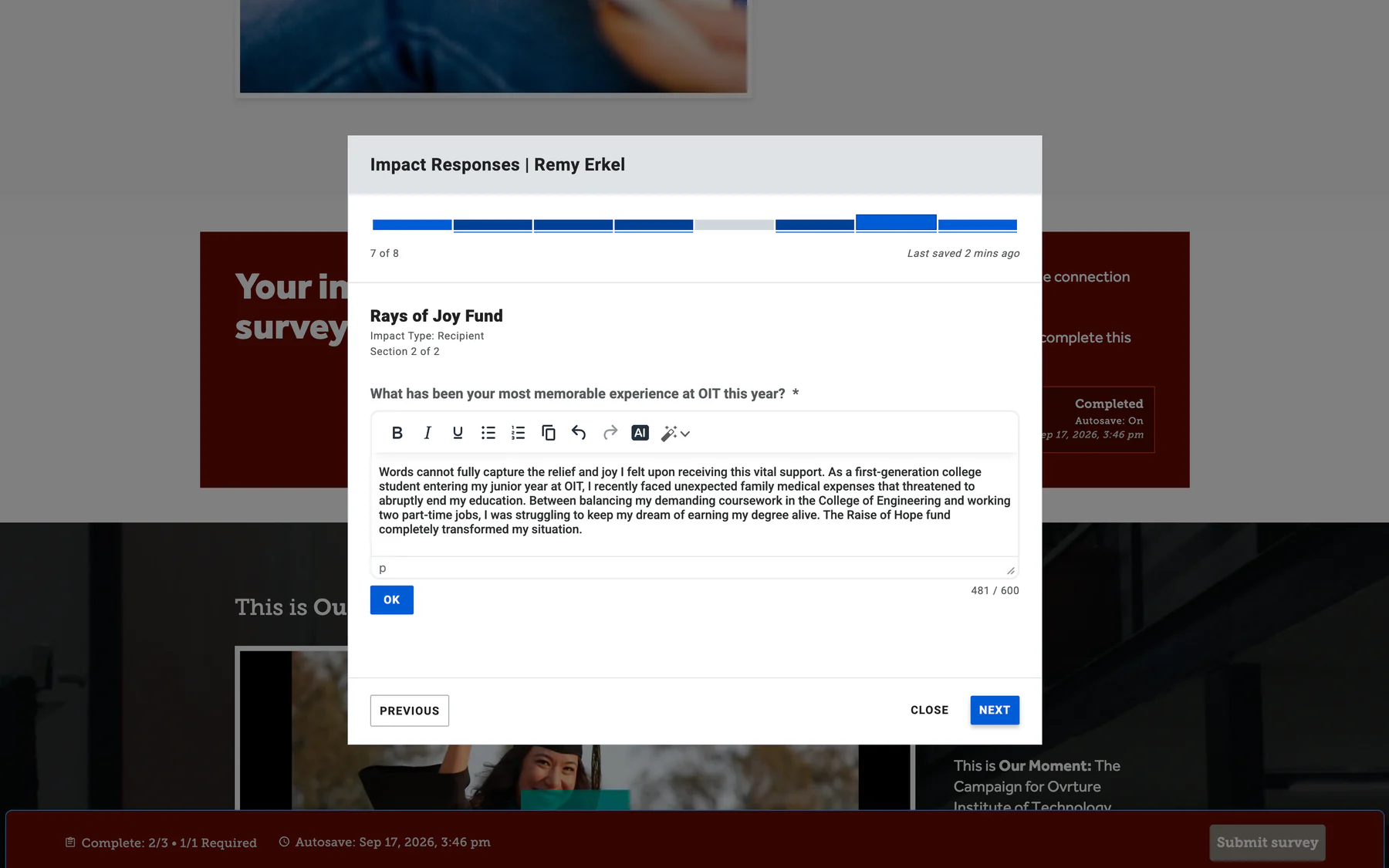
Stories
Surveys go out from your own email tool, asking the people a gift reached what changed. Their words and photographs come back ready to place in a report.
Reports
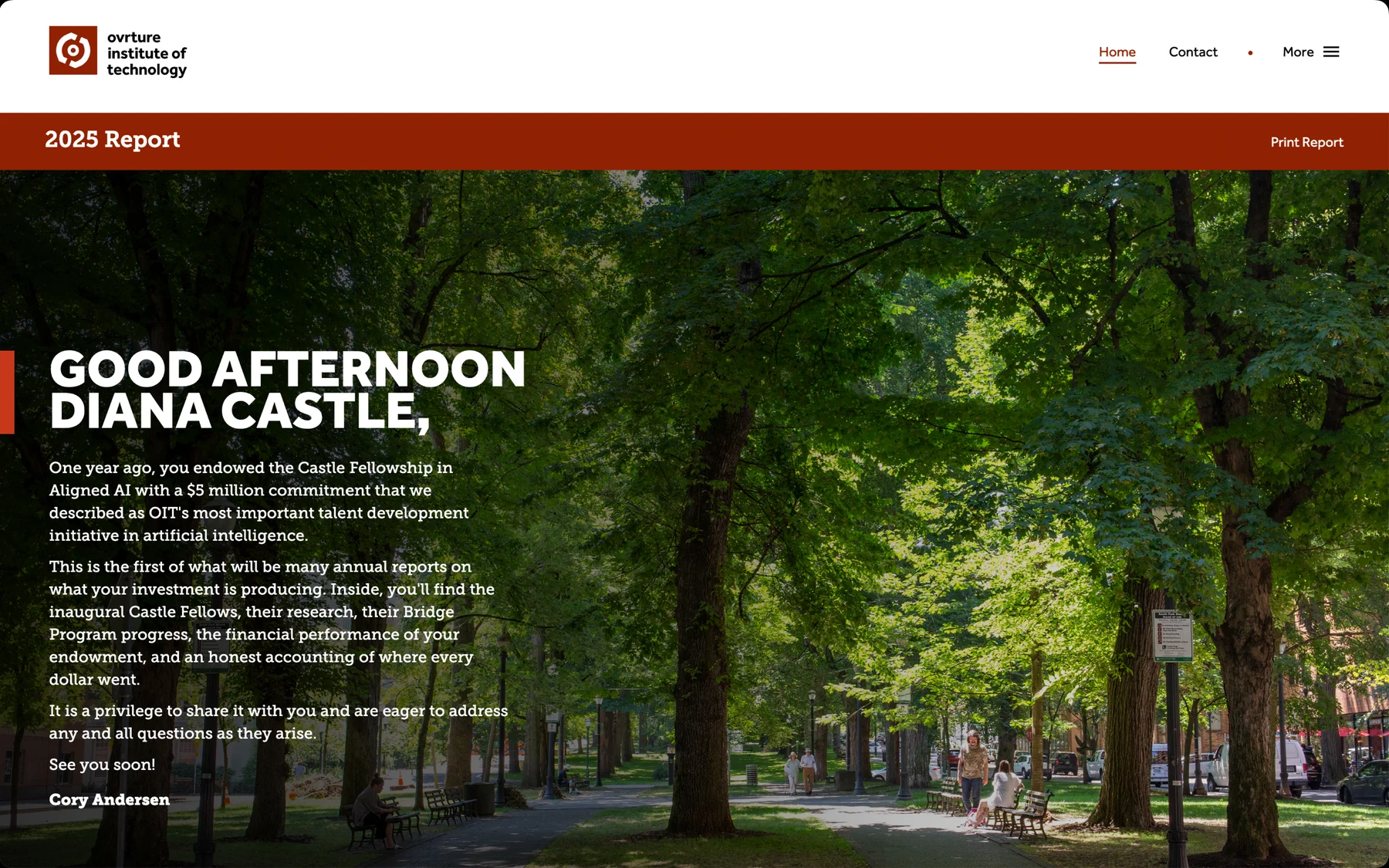
The impact report as a website built for that donor, from the fund data your finance office already produces, for everyone in the same cycle.
Proposals
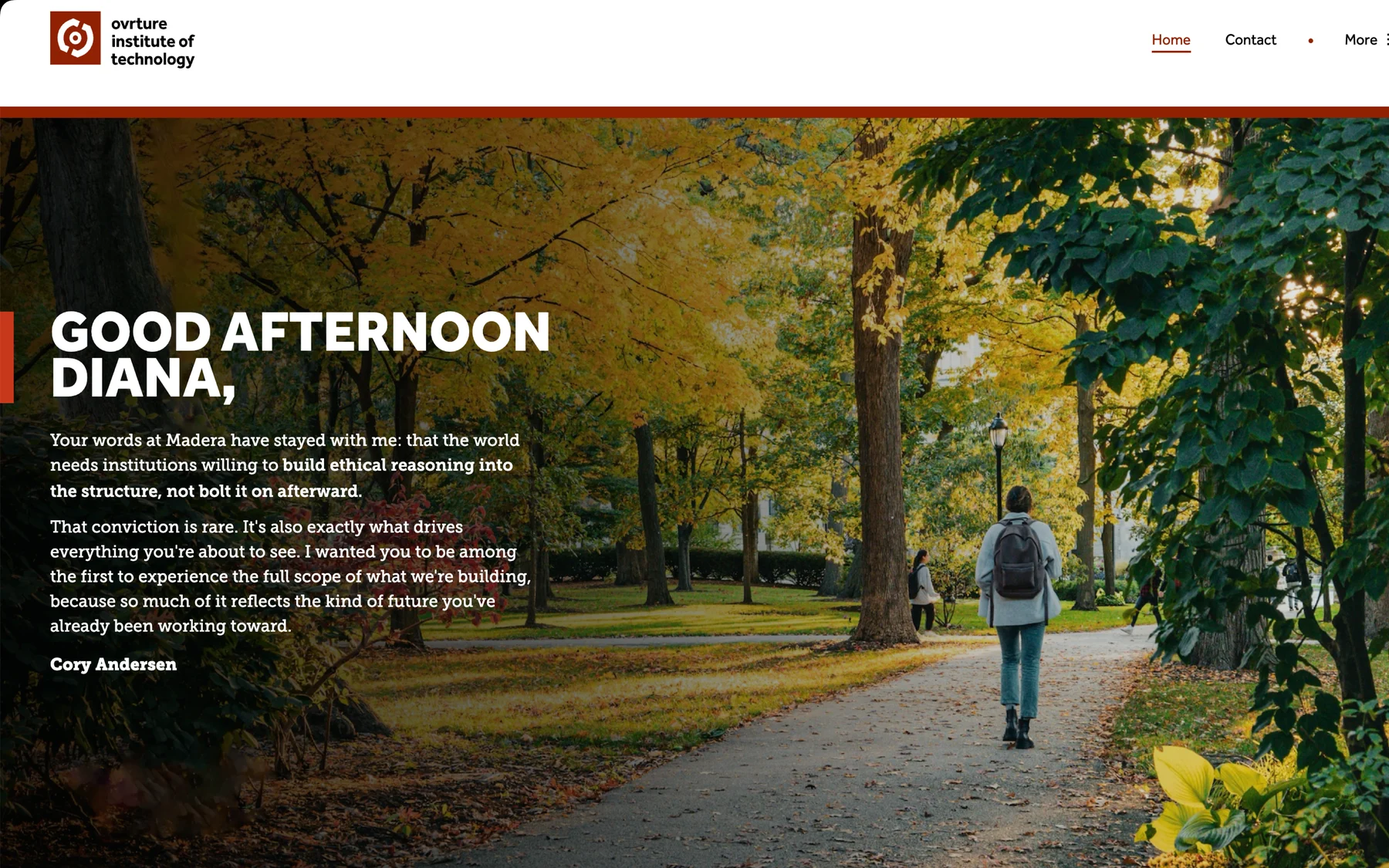
A private website for one prospect, carrying the ask, the case and the people behind it. You send the link before the meeting rather than a bound document after it.
Engagement
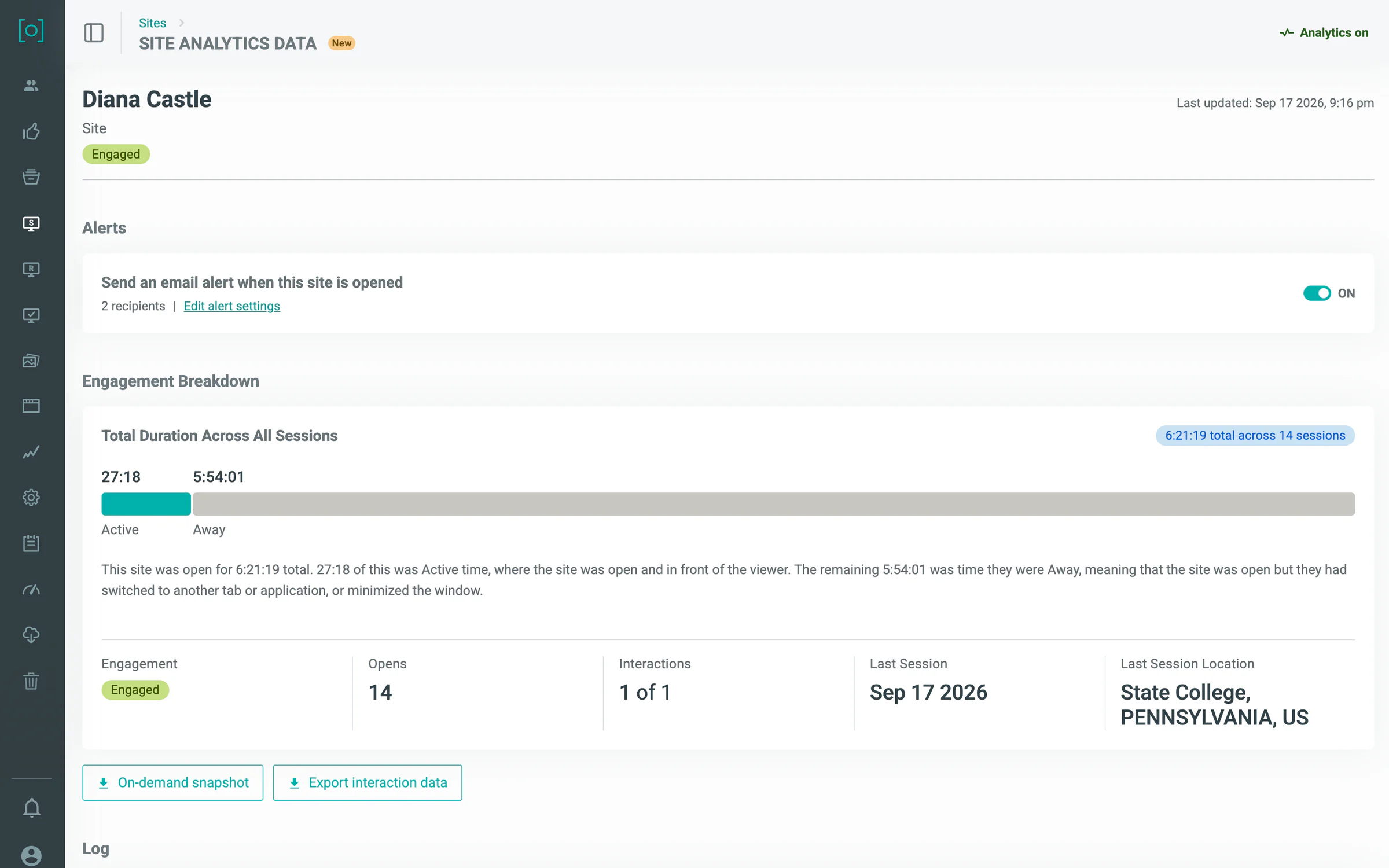
What was opened, what was read and how long it held attention returns to the donor record, where communications, stewardship and the development officer who owns the relationship all see it without asking anyone for a report.
It runs on the data you already keep, whether or not your CRM is connected.
Your CRM is the system of record and stays that way. This is the layer that turns what it already holds into something a donor opens. Most institutions begin by uploading a structured file, and that is a complete way to run: the same donor websites, on the same schedule, with nothing missing. A direct connection to Blackbaud CRM, Raiser’s Edge NXT, or to Salesforce takes the file out of the process when your team is ready. Both are in the license, and which one you start with is your decision rather than a condition of buying.
How it connects
Data flows
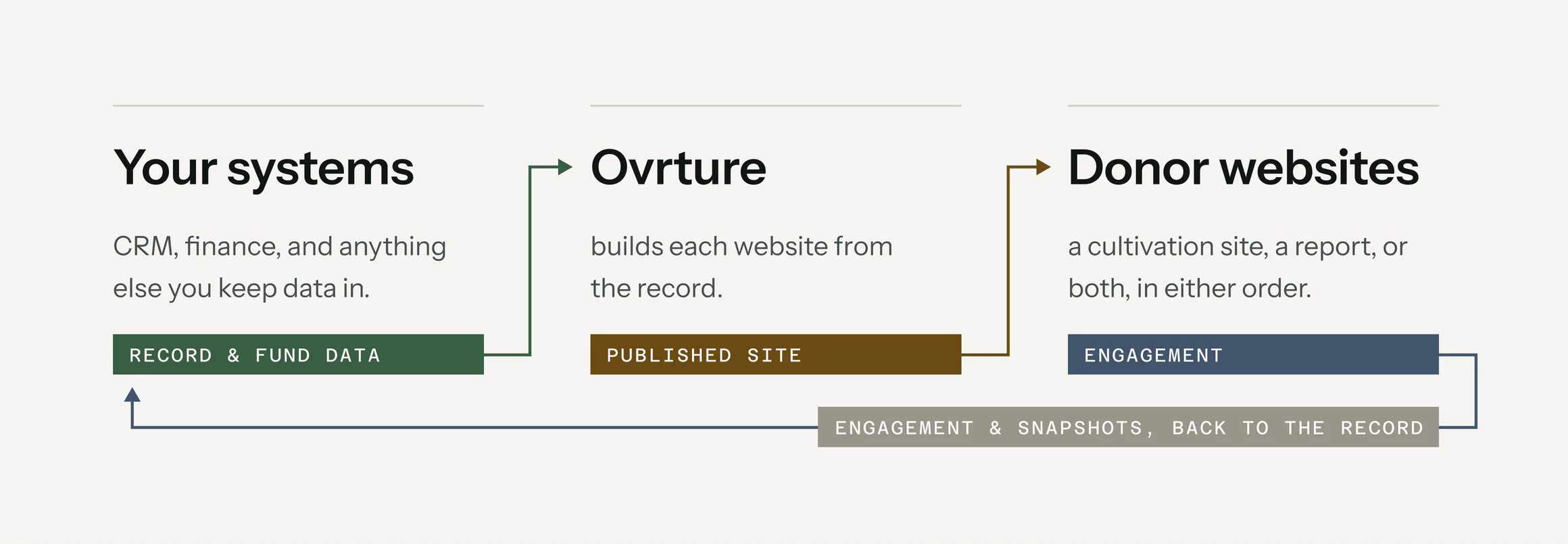
- Record data. Name, addressee, salutation, email, and the funds assigned to that constituent.
- Fund data. Fund details, performance, fiscal-year donors, and the impact your finance office reports.
- Your own content. Stories, photographs and copy your team already holds, uploaded or written in the browser.
- Engagement. Opens, sections read and time on page, returned to the constituent record.
- Snapshots. A fixed copy of what a donor was shown, on the date they were shown it.
- Record and fund data. Anything the system holds, back out through the same path it came in.
- A print-ready export. For the donor who wants it on paper.
Managing your data
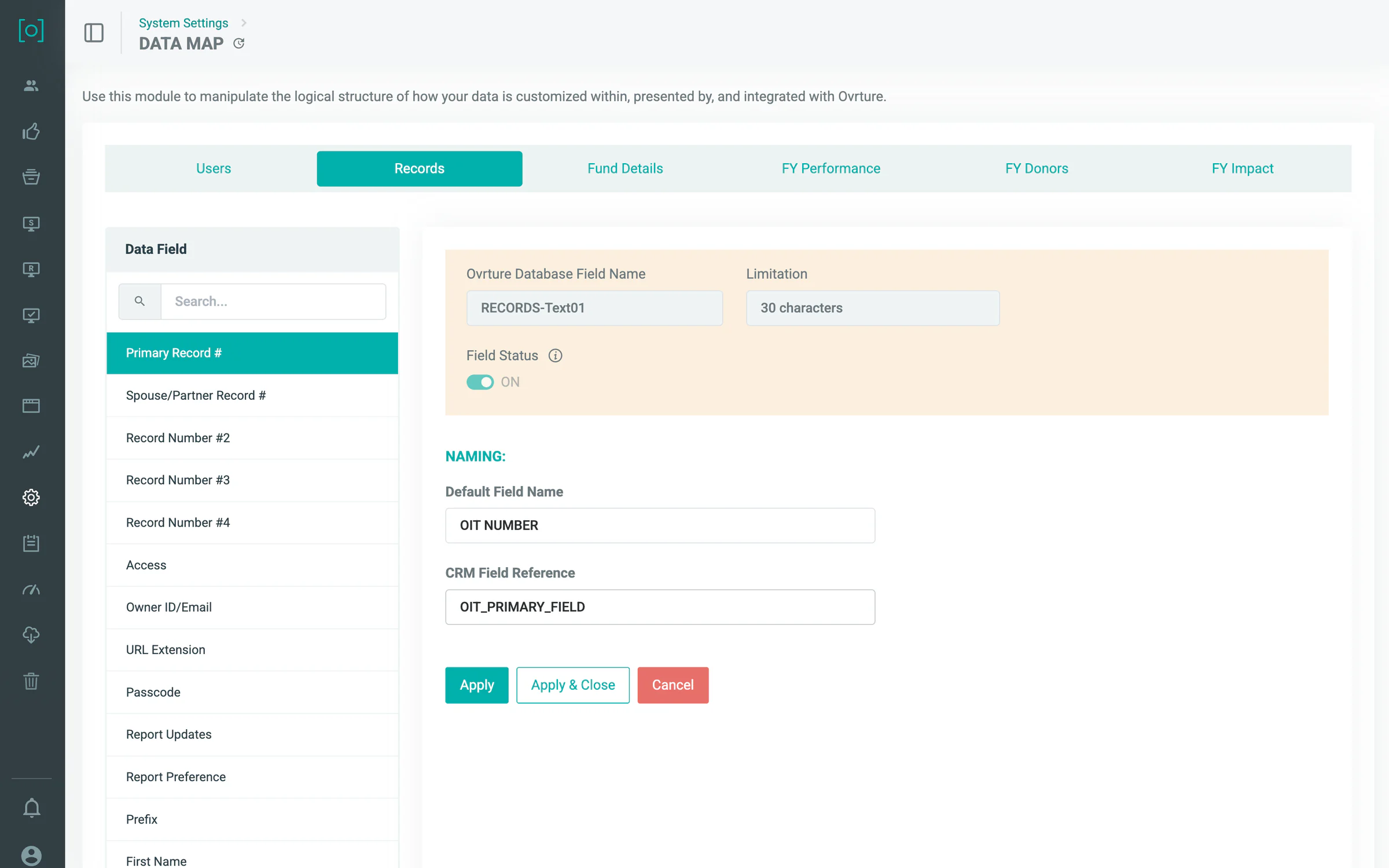
Your field names, kept as your field names.
Mapping is done once, in your institution's vocabulary. We want to make using Ovrture as seamless as possible: field names carry over exactly, so the platform lines up on top of the systems you already run instead of becoming a second one your team has to learn.
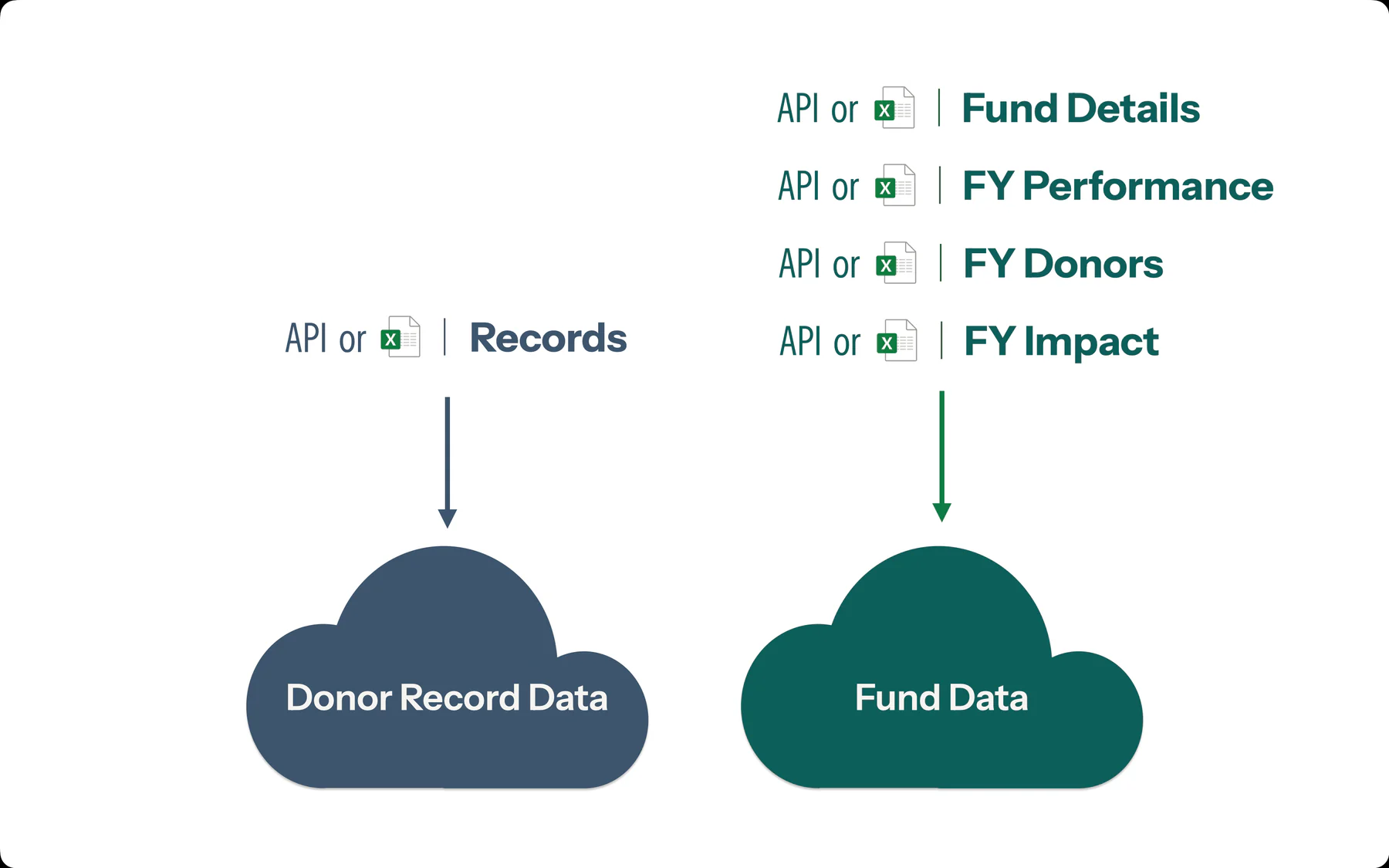
Most clients start with an upload.
A structured spreadsheet upload does the same job as a direct connection: the same donor websites, on the same schedule, and what a donor opens is identical either way. Connecting your CRM is a step you take when your team is ready.
The work is divided the way your office already divides it.
Nothing funnels through one person. Communications builds the content, stewardship runs the flow, the data team moves the fund information, and the development officer checks their own donors before anything is sent. One system, and each of them works in the part that is theirs.
Managing your content
What-you-see-is-what-you-get editing
The panels your institution approved stay locked, and the brand inside them is already built. What's left to edit is a labeled field, no code and no designer required, for the content your donors and prospects actually see.
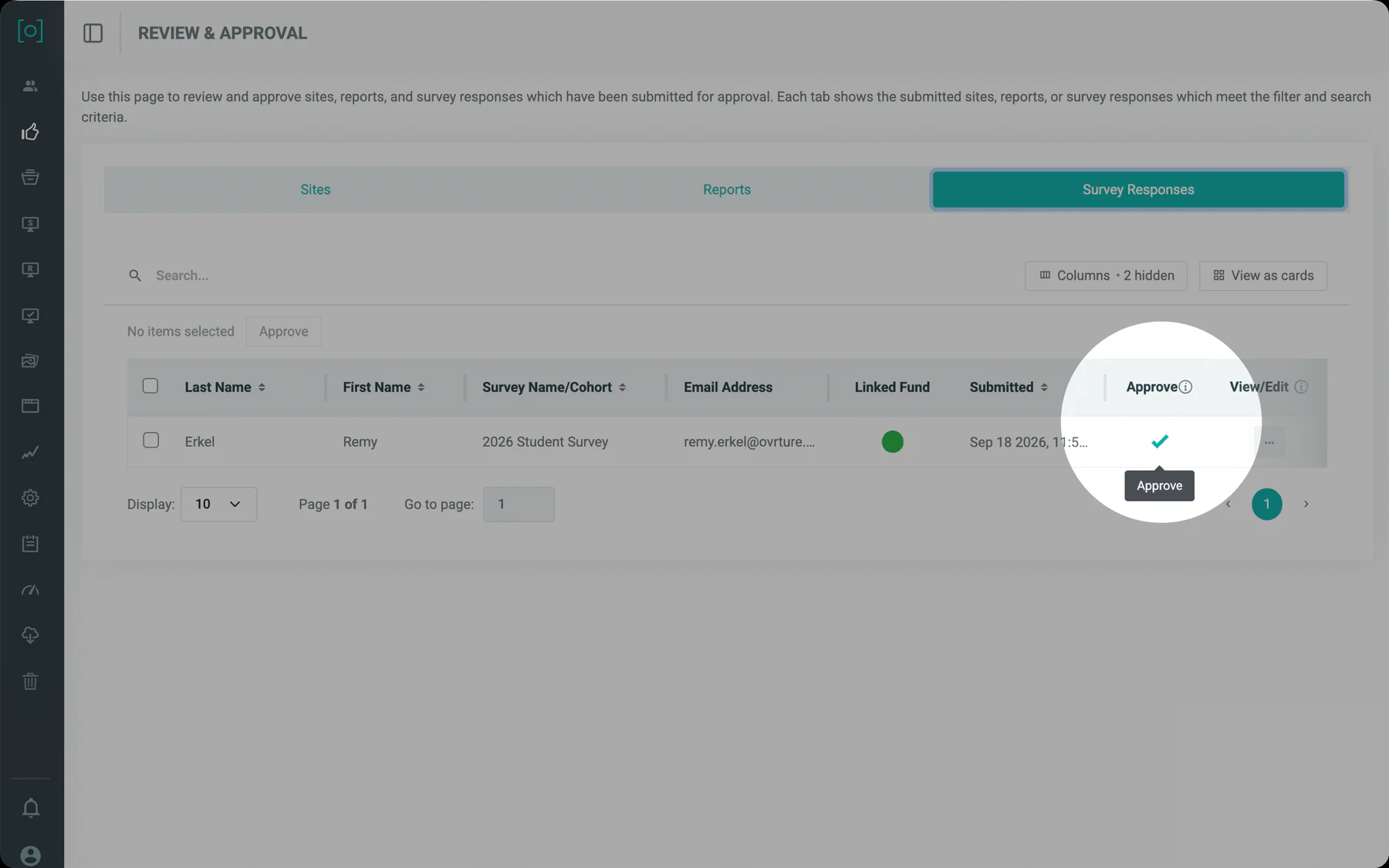
Nothing goes out without approval.
A draft waits in review until the person with the authority approves it, and the development officer who owns the donor is the last read. You can always see who submitted it, who approved it, and what changed.
One system, as many units as you need.
Schools, hospitals, affiliated foundations, and the units inside them. Each publishes under its own mark, to its own donors, with its own people, and central advancement still sees across all of it.
Managing your team(s) and brand(s)
Roles are set per unit, by an administrator.
Roles down the side, actions across the top, set per unit. A school's people see the school's work, and central advancement sees across all of it.
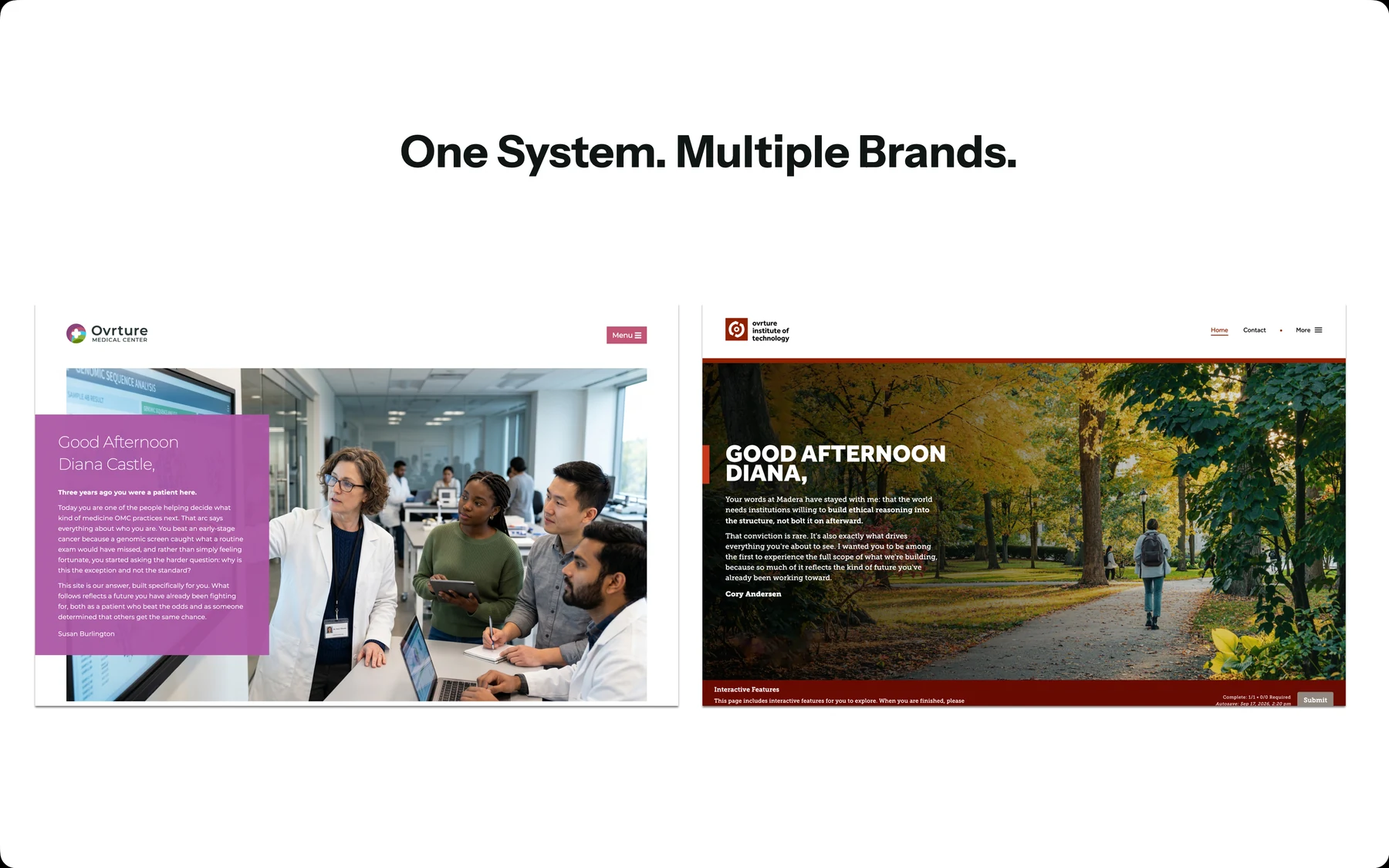
Built for organizational complexity
A medical center and a college publish under their own marks from the same underlying report structure. A donor sees the unit they gave to.
Training and support are unlimited.
An advancement office has to change how it works while it keeps working, and the change lands on people who already have full jobs. Champions move on. New staff arrive in the middle of a year, after the training everyone else got. So the training does not run out, counsel on adoption is part of the engagement, and none of it is metered: a question in year three is answered the same way as one in week three.
Managing your team's adoption
Training does not stop at launch.
Training is unlimited and it continues after go-live, so whoever joins your team next is trained the same way the first group was.
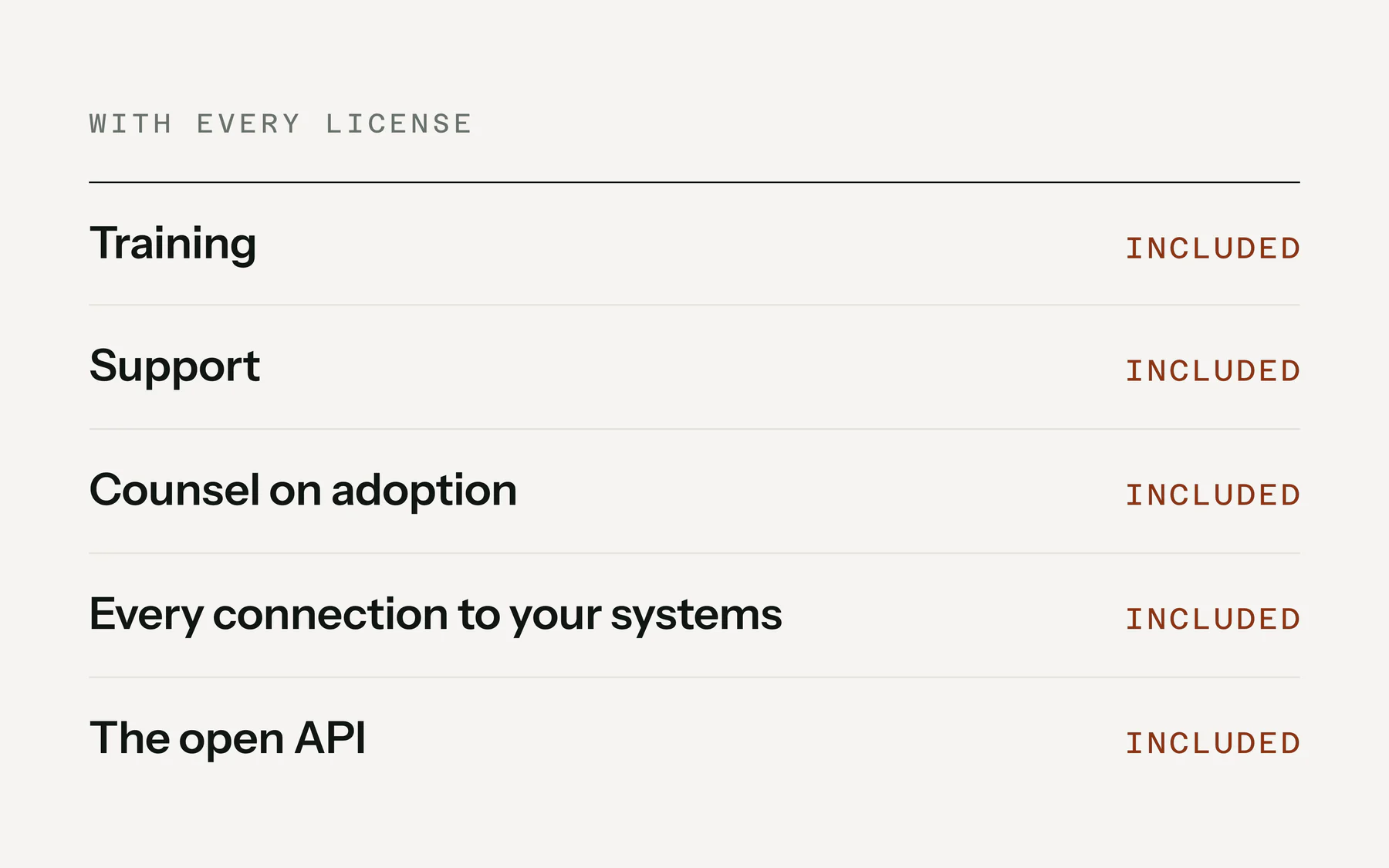
Nothing here is a separate line item.
Training, support, counsel on adoption and every connection to your other systems come with the license.
Your reviewer will ask for a list. Most of it is already written.
A SOC 2 Type 2 examined over a full year, a TX-RAMP Level 2 certification, and a trust portal anyone can open. Your security office can run the first pass without us in the room.
What comes up in a first demo.
These come up on nearly every call. They are here so that finding out does not cost you a meeting.
Does Ovrture connect to Blackbaud and Salesforce?
Yes. They are two separate connections. Blackbaud CRM/Raiser’s Edge NXT syncs constituent and fund data and returns session-level engagement to the record. Salesforce is available through the AppExchange and logs what a donor opened to the contact record. An institution on any other system connects through the open API. Integrations names every connector and says what each one syncs.
Does Ovrture send the email to the donor?
No. Your own email tool sends the link, from your own domain, so it arrives looking like everything else your institution sends and your deliverability stays yours. The platform has no email sending of its own, by design.
What if a donor forgets the passcode?
A donor site opens with a passcode or with a single-use link sent to the donor's own address, so there is a second way in that does not depend on anyone remembering anything.
How many funds can one report carry?
One report carries many funds, each with its own details, performance and impact, so a donor with a complicated portfolio sees all of it in one place rather than in four attachments.
Can we correct a report after it has gone out?
Yes. You edit and republish, and the donor sees the corrected version at the same link they already have. What was shown before is kept, so your team can always say what a donor saw and when.
Can we still print it?
Yes. Some donors want paper and some boards require it. The platform produces a print-ready export of a donor's report so the printed version is the same document rather than a second one your team builds by hand. Ovrture does not print or mail it: your own print partner does.
Will it look like ours?
Yes. Your identity is built into the panels and the templates during implementation, and a unit's own mark sits inside it. What a donor opens looks like it came from your institution because it did.
Orchestrating the final mile.
Every advancement office runs into the same ceiling. Your hundred best donors get something written for them, everyone else gets a version of the same letter, and nobody chose that; the hours did. All the while your CRM holds more about each of those people than anyone on your team has time to read.
AI co-creation will change that arithmetic. What your record already holds, and the stories your people have already gathered, will become a first draft for each donor, and your team will edit it, decide, and send it. The size of your staff will stop deciding how many donors hear what their giving changed. The judgment those drafts start from comes from Foster Avenue, the campaign counsel practice behind Ovrture.